
Whether you play games to make a living or just to unwind after a hard day, you might want to have a fun and exciting gaming experience. Video game accessories and add-ons enrich a player’s experience by helping them further immerse themselves in the gaming world, where they are either racing, doing battle, or solving puzzles. Thus, it is necessary to consider investing in some essential must-haves in your gaming setup as a gamer.
Just like other workspaces, there are some essential components every serious gamer’s setup should have. The global gaming accessories market size was valued at $9.45 billion in 2023 and forecasted to rise to $26.45 billion in 2032 but despite the predictable rise in popularity of video games and demand for gaming accessories,1Gaming Accessories Market Analysis, Share & Trends Analysis Report [2024-2032] you necessarily don’t have to buy everything to get that immersive gaming experience.
Also, you can build your gaming setup bit by bit if this is more convenient for you and your finances. And in this post, we will explore some essential accessories that can elevate your gaming desk’s appeal and functionality without having to break the bank.
12 Must-Have Gaming Desk Essentials
In 2022, YouGov data shows that 39% of American gamers own headphones while 17% own a gaming chair. A gaming controller (of any type) was the most common gaming desk accessory with over 44% of gamers owning at least one. Of these, 13%, 9%, and 10% of gamers intended to purchase a gaming headphone, a gaming chair, and a gaming controller within the next six months, respectively.2What accessories will American gamers buy in the next six months? – YouGov
Whether you need a headphone, an ergonomic gamer’s chair, or a controller, here are some essential gaming accessories for your gaming desk.
1. Gaming Controllers
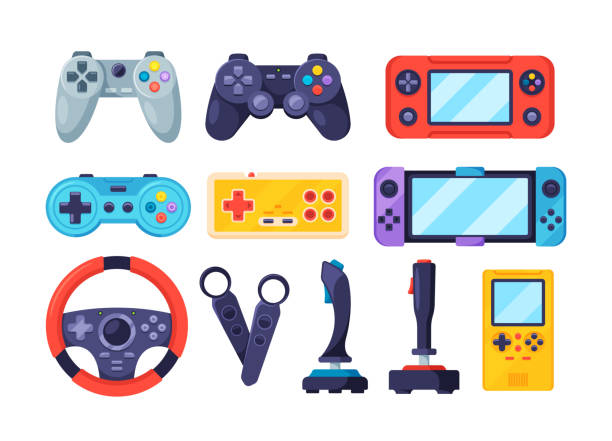
Of course we can’t talk about gaming without mentioning gaming controllers. This can be a console controller for specific consoles like PlayStation, Xbox, or Nintendo Switch. It can also be a custom third-party Gaming PC controller, Arcade joystick, steering wheels, etc. These essential gaming accessories can enhance your gaming setup, giving you more memorable experiences.
2. Gaming Chair
With a large number of gamers desirous of a gaming chair, the importance of having one as part of your gaming setup cannot be over-emphasized. An ergonomic gaming chair with a comfortable lumbar support, adjustable armrests, and a reclining feature can prevent back pain after each gaming session.

3. Gaming Mouse
A gaming mouse is a specialized computer mouse designed for gaming through its enhanced precision, speed, and customization compared to a regular mouse. Special features of a gaming mouse include high and adjustable DPI for better sensitivity and accuracy, programmable extra buttons for quick in-game actions, ergonomic hand design, wireless capability, and customizable RGB lighting for aesthetic appeal.
4. Headphones
Many game developers pay great attention to sound and music to enhance the gaming experience. This means you also need to invest in your sound receiver devices like headphones to get the best from these games. With gaming headphones, you not only hear the game but also feel it, while providing ear comfort even if you have to wear them throughout the gaming session.
When buying a gaming headphone, important specifications to consider include audio quality, surround, bass depth, microphone, noise cancellation, wireless connectivity, durability, etc.
7. Mechanical keyboard
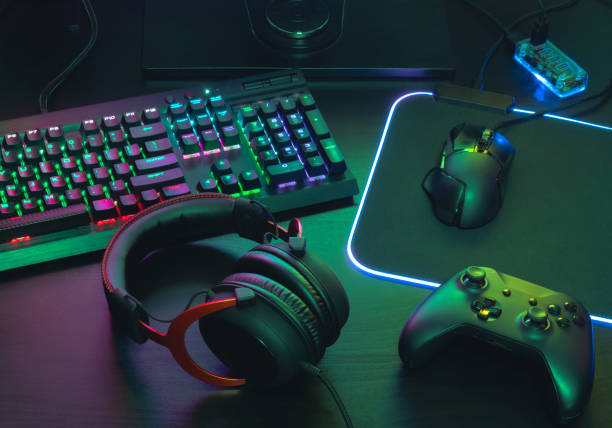
You may already use a console and gaming controllers, but your gaming desk could also benefit from a mechanical keyboard. Mechanical keyboards are more ideal for gaming due to their tactile feedback, faster response times, and greater durability, compared to the regular membrane keyboards.
In addition, they have customizable RGB backlighting, anti-ghosting/N-key Rollover for preventing missed/unregistered key presses during fast gameplay. Some models also have hot-swappable keys which allow you to pull out a key/switch and replace it with a shorter or sturdier one.
6. Stream Deck Software
A stream deck software is a customizable streaming control panel that lets you interact with other apps, mute your mic, launch games, and enhance productivity and workflow for streamers and video content creators. If you are creating gaming content on monetized platforms to make money, a stream deck is a must-have gaming addon. A very popular example is Elgato Stream Deck.
7. Mic
Having inferred severally that gaming can be a fun way to make money, a good microphone is an important must-have accessory to enhance your gaming workspace. While a set of premium headphones can offer both an immersive sound and a microphone, you sometimes need an external microphone with a better podcast-quality sound input, particularly if you are a gaming streamer.
8. External Storage
Video games generally take huge storage spaces because they require a combination of high-resolution graphics and textures, high-quality audio and music, 3D images, and advanced animations. As such, you may soon run out of storage when you keep your favourite games in your PC.
However, with an external gaming SSD, you can experience plug-and-play storage without consuming all your PC storage space. You can play any game(s) saved inside it without having to transfer them to your local storage. For great performance, opt for a fast, portable, and reliable external gaming SSD hard drive.
9. Ring Light
If you are a gaming streamer and content creator, you might need to fix the problem of appearing dull and dark in your streams. In a dark gaming room, a desk ring light can help you appear bright and clear to your viewers, improving the quality of your videos, and making you look more confident in your streams.
10. High-Refresh-Rate Monitor
For a better gaming experience, a 144Hz or 240Hz monitor with a low response time is more suitable, especially for FPS (First-person shooter) and fast-paced games.
11. Multiple Screens
While a single screen can often suffice for games, an extended screen setup adds another level of awesomeness to your gaming desk setup. Multiple screens like dual or triple screen setups can enhance the gaming experience through increased field of view (FOV) for supported games and enhanced immersive experience.
For gaming streamers and content creators, multiple screens enhance multitasking (can keep Discord, Twitch chat, or game guides open on a second screen and controlled by a stream deck), viewing audience responses and engagements, etc.
12. High-Speed Internet and Gaming Router
A low-latency gaming router or wired Ethernet connection reduces lag and ensures smooth online gameplay. This helps prevent lags that can affect your overall gaming experience. Also, a high-speed internet router also helps gaming streamers deliver good quality content to their audience, which further adds to your satisfaction as a gamer and streamer.
Final words
Though the list is not exhaustive, here are some essential must-haves for your gaming desk setup. These essential accessories make gaming more interesting, add to the immersive experience, as well as make it easier for gaming streamers to create content for their numerous audience.
I hope you find this helpful. If you know any essential gaming addon not listed above, type it in the comment section below. Again, the above list is not exhaustive and your contribution is much appreciated.













You Might Also Like